
Seedream Pro

Get More from Seedream 5.0

Ways to use the two 5.0 versions together.

Boy holding colourful balloons
01 / 03

Draft Free with 5.0 Lite, Finish with 5.0 Pro

Explore compositions on 5.0 Lite at 2K without a paid plan. Once a direction works, a Basic plan opens 5.0 Pro for layer splits and copy-heavy versions of the same idea.

Race car shown in two frames
02 / 03

Run One Prompt on Both Versions

Keep the prompt and aspect ratio fixed, generate on 5.0 Lite, then switch the version bar to 5.0 Pro and generate again. Two results from one brief make the choice concrete.

Same man across three scenes
03 / 03

Feed Up to 14 References into a Single Edit

5.0 Lite accepts up to 14 reference images in Image Edit, so a character sheet, outfit photos and a location can all guide one result.

How Seedream 5.0 Works in This Studio

Both Seedream 5.0 versions sit in the same version bar as 4.5, 4.0 and 3.0, and this page opens on 5.0 Lite. Write a prompt, add reference images if you are editing, choose an aspect ratio and a resolution, and check the credit cost before you generate. The two versions differ in concrete ways. Seedream 5.0 Lite: free plan, 2K output with 4K from Basic, Text to Image and Image Edit, up to 14 references, prompts up to 3,000 characters. Seedream 5.0 Pro: Basic plan and above, 1K or 2K output, Text to Image, Image Edit with up to 10 references and Layer Decomposition, prompts up to 5,000 characters. Both offer the same eight aspect ratios, including 21:9.

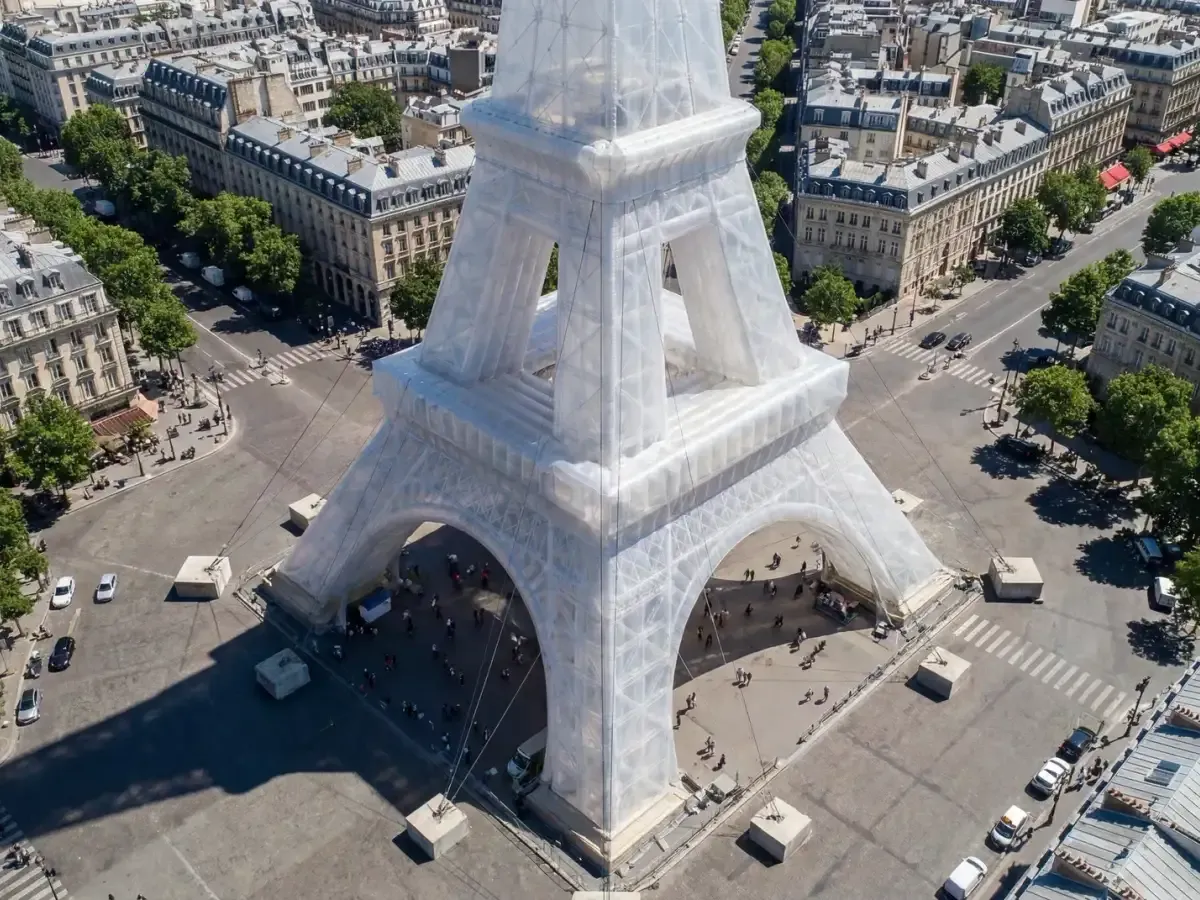
Seedream Pro sample: Eiffel Tower wrapped in fabric

Inside the Seedream 5.0 Family

One tab per capability area, from the free version to the paid one.

Seedream Pro sample: Old Kyoto street with a pagoda

Seedream 5.0 Lite: Text to Image and Image Edit

The free way into the 5.0 family. Generate from a prompt at 2K, or upload up to 14 images and describe how to combine or change them. 4K opens on the Basic plan for print and large screens.

Details

  • 2K on the Free Plan

    No paid plan needed to start.

  • 14 References

    The highest limit in the studio.

  • 4K on Basic

    For files headed to print.

What Seedream 5.0 Offers Here

Six capabilities across both versions.

01

Two Versions, One Studio

Lite and Pro in the same version bar.

02

Lite: 2K or 4K

4K from the Basic plan.

03

Pro: 1K or 2K

Two steps on the paid version.

04

14 or 10 References

Lite takes 14, Pro takes 10.

05

Layer Decomposition

Split a finished image on 5.0 Pro.

06

Long Prompts

3,000 characters on Lite, 5,000 on Pro.

Who Uses Seedream 5.0

Three groups, two workflows each. Campaign images published for a business need Business-level access.

Design sketches on a desk

Students and Hobbyists · Find a Direction Free on 5.0 Lite

Try several prompts on 5.0 Lite at 2K for a personal project, changing one detail per run until the composition works.

Typical runs

  • Album cover idea for a school band
  • Dorm room mood board
  • Character concept for a story
  • 9:16 phone wallpaper
Portfolio open on a laptop

Students and Hobbyists · Show a Portfolio Piece in Layers

With a Basic plan, run 5.0 Pro Layer Decomposition on a finished image to show how subject, type and background were built.

Typical runs

  • Process slide for a design course
  • Before-and-after breakdown
  • Layered poster for a portfolio
  • Separate background for reuse
Team reviewing printed designs

Small Creative Teams · Hold an Internal Comparison

Run the same brief on 5.0 Lite and 5.0 Pro and let the team pick from the two results, testing the newer engine on your own subjects.

Typical runs

  • Two poster drafts for one event
  • Lite vs Pro on a product scene
  • Mock-up options for a pitch deck
  • Two takes on a mascot
Workflow plan on a whiteboard

Small Creative Teams · Set a House Rule for Versions

Agree which version handles which job, such as Lite for concepts with many references and Pro for copy-heavy layouts, so everyone starts from the same choice.

Typical runs

  • Lite for mood boards
  • Pro for infographics
  • 4.0 for batches of options
  • 4.5 or Lite when 4K is needed
City square full of billboards

Multilingual Marketers · Localise One Campaign Image

Generate the visual once, then ask 5.0 Pro for versions with the headline in each target language, written in quotes.

Typical runs

  • English, German and Japanese posters
  • Localised sale banner
  • Translated menu board
  • Region-specific launch visual
Social apps on a phone

Multilingual Marketers · Resize for Each Social Feed

Use Seedream 5.0 Lite to make 1:1, 9:16 and 16:9 versions of one concept by changing only the aspect ratio.

Typical runs

  • Square feed post
  • Vertical story
  • Landscape video cover
  • 21:9 page banner

How to Compare Seedream 5.0 Versions

Three steps to test both versions on one idea.

  1. 01
    Step

    Run It on 5.0 Lite

    Write the prompt, pick an aspect ratio and generate on the version this page opens with.

  2. 02
    Step

    Switch to 5.0 Pro

    Select 5.0 Pro in the version bar and run the same prompt; it needs a Basic plan.

  3. 03
    Step

    Compare and Keep

    Download the stronger result from My Creations or keep editing it.

Seedream 5.0 FAQ

Cost, versions and limits.

Do I have to pay to try Seedream 5.0?

Not for 5.0 Lite: it runs on the free plan using the 10 credits new accounts receive, at 6 credits per 2K image. The Pro version needs a Basic plan. Free use is limited to those starting credits.

What is the difference between Seedream 5.0 Lite and 5.0 Pro?

Lite runs on the free plan, outputs 2K (4K from Basic), takes up to 14 references and allows 3,000-character prompts. Pro starts on Basic, outputs 1K or 2K, takes up to 10 references, allows 5,000-character prompts and adds Layer Decomposition.

Is Seedream 5.0 better than Seedream 4.5?

Seedream 5.0 and 4.5 each suit different prompts, and neither is better for every job. Since 4.5 and 5.0 Lite share the same limits here, run the same prompt on both, especially for realistic faces and likeness, and keep the result you prefer.

Does Seedream 5.0 search the web on this site?

No. There is no live lookup setting for Seedream here, so the model works only from your prompt and reference images. If a design needs current details, such as a new product name or a date, write them into the prompt.

Seedream 5.0 Lite loads first here. Where do I find 5.0 Pro?

5.0 Lite opens by default so anyone can try it. Click 5.0 Pro in the version bar to switch; on the free plan it shows as locked until you move to Basic.

Why can't I choose 4K when Seedream 5.0 Pro is selected?

On this site 5.0 Pro outputs at 1K or 2K only. For 4K, switch to 5.0 Lite or 4.5, where 4K is available from the Basic plan.

Seedream Pro

Not Sure Which Seedream 5.0 to Use?